Ascenti Reach app
Manage your recovery and access tailored video guides directly from your phone.
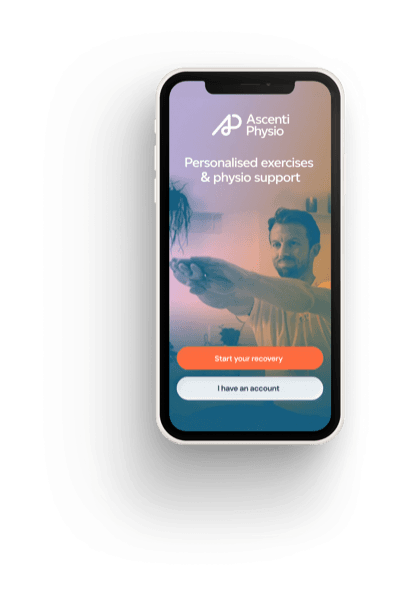
Ascenti Reach app
Manage your recovery and access tailored video guides directly from your phone.
Ascenti's online appointments are delivered through the Ascenti Reach app using video call technology in the same way that you would Facetime or Skype a friend.
You can use your mobile, iPad, tablet, laptop or desktop computer, as long as it has a camera and is connected to the internet.
If you are using a mobile device, you will need to download the Ascenti Reach app on your app store and log in using your access code.
If you're on a computer you will need to head to reach.ascenti.co.uk.
Your appointment confirmation email will provide you with more detailed set-up information and you can contact us if you have any further questions.
The Ascenti Reach pathway provides access to supported self-management through an asynchronous chat with our physios. This is separate from in person appointments where the app is solely used for exercise provision and progress tracking. You begin with an assessment of key questions that help us understand if there are any concerns that would need urgent medical input or would be better suited to in person physiotherapy.
The physios will then contact you through the chat function to understand more about your symptoms and goals to create a tailored plan. You can reply at a time that suits you without worrying about running late or missing appointments.
If you are in 1:1 appointments, you have access to your exercises via the Ascenti Reach app for a year.
If you are using the app for supported self-management through the chat then you have access for 6 months, but can re-refer for a new condition or ongoing support at the end of this.
The physio chat support isn’t a live chat, but we aim to respond within 1 working day. Our standard working hours are 8am-6pm Monday to Friday but you may receive replies outside of this time as we strive to provide extra support where needed to deliver the best possible service.
No, rest assured it is a dedicated team of our Ascenti physios who support you through the Reach app. All our physios are UK based HCPC registered and work within our physiotherapy clinic network alongside their work on Ascenti Reach.
You may receive some automated reminders or encouragement messages to help you stay on track but any advice or changes to your plan will always be from one of our physios. This is part of our commitment as a Physio-led, digitally enabled service.
The Reach App has been designed by medical professionals in order to collect information from you so that our physiotherapists can create a tailored treatment plan for your condition. Whilst in most cases we can provide a clinical impression, as we have not carried out an in-person assessment or any physical examination, it is not suitable to provide a formal medical diagnosis.
If any of the information you provide suggests a more serious medical concern or symptoms that aren’t suitable to be managed remotely then the team will advise you of this in their messages and signpost you accordingly.
If you decide that the supported self-management pathway isn’t for you then no problem – you can book a 1:1 appointment instead. Just speak to your healthcare or insurance provider for advice on your referral options or message us on Reach for advice on how to swap to an in person treatment pathway.
Follow these links to download the app for Apple and Android. Alternatively, you can access the web browser version.
To log in you will need your referral code which will be in your email from reach@ascenti.co.uk and your year of birth. If you can’t find your referral code or it isn’t working then please contact our customer support team on 0330 678 0850 or via reach@ascenti.co.uk.
Yes, you can access Reach through the website here.
When it’s time for your appointment, open the Ascenti Reach app and hit the ‘Join appointment ‘button. Your physiotherapist will join you there once they’re ready to begin, so please allow 5 minutes for the physio to join before contacting the customer support team. Do ensure that you log into the app before your appointment to answer the brief pre-assessment questions ahead of your video appointment. This will enable you to then access your exercises straight after your appointment.
Please allow 24 hours for your exercises to be uploaded and sent by the physio. If you still have not received the email then please contact us via live chat or telephone to assist you further. We can contact your therapist on your behalf to request these are uploaded.
Your physiotherapist can assign exercises remotely if any exercises have been missed or not updated. These should be available within 24 hours of your appointment. The physio cannot progress or significantly amend your exercises but will be able to do so after your next appointment.
Yes, workout information is available through the mobile application.
Select the Workout tab on the bottom left and then Start Workout to view your assigned exercises.
Select the Workout tab on the bottom left and then Start Workout.
The workout plan will display the repetitions assigned by your physiotherapist.
Yes, if you have already done your workout for the day, then click on “view workouts” to display your assigned exercises. You can click on each exercise for written and audio instructions.
Referral codes can only be used once to create an account. If you have already registered, please log in instead. If you have forgotten your password, please Click on "Forgot password?".
If you need a new code, please contact us via live chat or telephone so we can assist you further.
If your referral code shows as expired, you may have already activated your account. Please use the Login button and sign in with your registered email address and password. If you have forgotten your password, please Click on "Forgot password?".
To reset your Reach password, you need to follow these steps:
Check your email address and password. If you have forgotten your password, please Click on "Forgot password?".
If you've forgotten both your email address and password, please contact us via live chat or telephone to assist you further.
Similarly if you keep getting an error message, please contact us at reach@ascenti.co.uk with screenshots if possible. You can also contact us via live chat or telephone to assist you further.
Virtual physiotherapy is an alternative to a face-to-face in-clinic appointment that can save you time and offer great results, or what we would call ‘strong treatment outcomes’.
Research shows that the right management of injuries and conditions early on helps people to recover faster and stops problems from becoming bigger in the future.
Unfortunately, people often put off seeing a physiotherapist because it can be hard to take time out to visit a clinic in the day or challenging to travel if you are suffering with pain or mobility issues.
Virtual physiotherapy is an amazing solution to this. It can connect you with a trained physiotherapist at the touch of a button and from the comfort of your home, work or wherever you need to be.
The Ascenti Reach app, which forms part of the Ascenti virtual physiotherapy service, also helps you and your physio to track your progress and how you are getting on after your appointment.
Ascenti’s virtual physiotherapy service is when you have a consultation with one of our physiotherapists using video call or telephone instead of meeting with them in a clinic.
Before you are booked in for a virtual physiotherapy appointment with Ascenti we will ask you important questions about your symptoms. This is usually in the form of an online physio symptom checking tool and helps us to make sure that virtual physiotherapy is right for you.
As soon as you book an appointment with us you will be able to download and use our Ascenti Reach app, where your physiotherapist will prescribe you with exercises and advice to follow after your appointment.
Yes. Ascenti physiotherapists deliver our virtual physiotherapy service.
These physiotherapists are the same highly trained clinicians who deliver our in-clinic services and see patients in person. They are not temps, trainees or people that we contract the work out to like a call centre.
Ascenti physiotherapists are qualified medical professionals who receive a minimum of 100 hours of protected training and development time annually and are registered with the Health Care Professions Council (HCPC).
Ascenti’s virtual physiotherapy service is very similar to a first time face-to-face physiotherapy appointment with us in clinic. The physical assessment is modified but we still ask you to show us how well you can move and may ask you to perform certain tests or tasks while we watch.
It is a fully qualified and professionally trained Ascenti physiotherapist talking with you and running through the same set of assessment questions that they would ask in clinic.
Despite being virtual, our thorough questions and history taking allow us to gather just as much detail and understanding to ensure you are on the right treatment path.
Access to our online physiotherapy services may vary from patient to patient, depending on the service and who it is for.
The main element of any first physiotherapy appointment, whether in clinic face to face or over video or telephone, is an assessment of the condition or injury.
This assessment typically includes questions about your problem and your physiotherapist asking you to perform certain movements.
Your virtual physiotherapy appointment will include all of these same elements and will likely be structured like the below:
To get the most from your virtual physiotherapy appointment with us we recommend that you follow five simple steps:
If you need to cancel or rearrange an appointment, you can do it quickly and easily through our online self-service portal.
If you want to cancel your appointment, you must let us know 24 hours before your appointment is due to take place. Unfortunately, we may have to charge you if you fail to cancel in time.
If at any point after your virtual physiotherapy appointment you feel your condition has gotten worse or you are concerned about your exercises or plan, you can contact us here.
If you don’t have a follow up appointment booked, then you can book another virtual physiotherapy appointment, or if you feel it’s needed, a face-to-face physiotherapy appointment with us can be arranged.
Yes. Your data is safe with us.
You will never have to worry that your data is being stored inappropriately, managed badly or shared with anyone that it shouldn’t be.
As the leading independent provider of physiotherapy services in the UK, we take our responsibilities seriously and pride ourselves on upholding the highest standards of patient information and data security.
You can read more about our credentials here and our Privacy Policy in full here.
If you are using the Ascenti Reach app on your computer or laptop, it will be supported by all modern web browsers (Chrome, Firefox, Safari, Edge and Opera). Please make sure your browser and device are fully up to date.
You can use the Ascenti Reach app on an iPhone or Android device, or on a web browser.
You need to be logged in and connected to the internet in order to receive the video call from your physio. We recommend connecting via WiFi, as it tends to be more reliable.
As you may be asked to perform exercises, make sure your camera can be angled to focus on the relevant part of your body during the exercise. Make sure you also have enough space.
Test this out before your call starts by opening the webcam on your computer, or the camera option on your phone or tablet. Check you have your front-facing camera switched on, so that you can look at the screen as well as show your face.
Treat the session the same way as if the physio were coming to your house. So get a quiet spot away from any distractions e.g. pets, colleagues and children.
For the best quality audio, use headphones with a microphone. If you don't have headphones, check that the microphone on your computer or tablet works.
Ensure you have downloaded the app or accessed the web version and logged into your profile before the appointment time.
Once on the app there will be a couple of quick questions to complete before accessing your exercise plan in order to help us understand your goals for physiotherapy - It should only take a minute to complete. This can be completed aft the initial assessment but is best to be done before.
To join the call, click on the blue “join appointment ” button at the top of your workout tab and once the physio joins the call too the video will connect. Please allow 5 minutes for the physio to join before contacting customer support.
