

Why is physiotherapy important?
You use your body every day, so looking after it can have a big impact on your overall health and happiness.
Ascenti Reach app
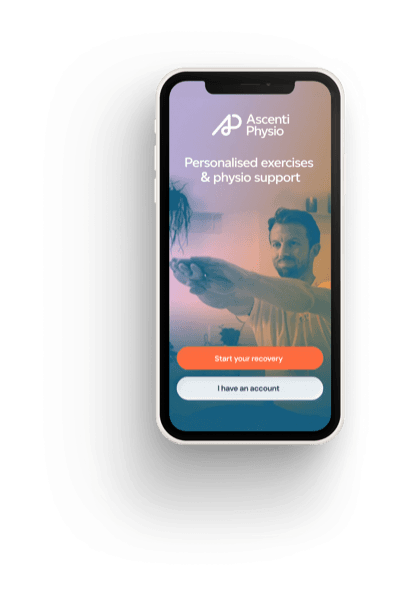
Manage your recovery and access tailored video guides directly from your phone.
Published
If you are reading this article you are probably one of the millions of people who are now working from home due to coronavirus (Covid-19).
Generally, we have less specialist working equipment at home such as office chairs and desks, which can leave us susceptible to musculoskeletal disorders such as back pain. This is due to long periods of sitting in positions that are not optimal for your body or what we call ‘ergonomic’.
Whatever your circumstances there are some basic principles that you can follow to get yourself set up with a good ergonomic home office space, which will help you to reduce pain, avoid injury, keep productivity up and to stay happy and healthy.
It’s important that you are sitting in an ergonomic position:
1. You should be sitting upright
2. Knees should be in-line with your hips at a 90-degree angle
3. Feet should be flat on the floor and in-line with your knees – you should not be on tiptoes or crossing your legs
4. Your back and neck should be straight – not bent or hunched over
5. Shoulders should be in-line with your hips
You may benefit from making small adjustments with things like pillows or rolled towels to get you into the correct position. For example, if you need some support for your lumbar spine to keep you upright or a pillow under your feet if you are too high to place them on the floor.
Once you are sitting correctly in the above position, then you should make sure that the top of your screen is in-line with your eyes.
You can achieve this by putting a shoebox or books underneath your laptop if you do not have a separate display screen.
Making sure that your display screen equipment is in the right position is important for preventing poor posture and neck strain that can lead to pain and injury.
We recommend using an external mouse and keyboard which can be plugged into the USB ports on your laptop.
Using a mouse and a keyboard can reduce the strain on your wrists and hands and can help you to achieve the ideal ergonomic posture you should be working towards.
You should aim for natural sunlight where possible or a similar effect with home lighting or a desk lamp.
The light shouldn’t be directly facing you or glaring as this can make you squint and alter your posture as a result.
It might be tempting to work in the garden or a sunny spot in the window, but you should be mindful of working around direct sunlight and straining your vision or posture because of this.
If you are used to using a desk phone or office headset for regular calls, then working from home may mean you are using a mobile instead.
Talking on a mobile phone for long periods can lead to neck strain on one side, so you should talk on speakerphone, or try using a headset or earphones instead.
Without your usual commute to the office, travelling between your desk at work to meetings or going out to grab lunch, your movement is significantly reduced working from home.
You must make the effort to move every 30 minutes, even if it’s just small movements. Try setting a timer on your phone and doing some stretches.
Make the most of your home environment and try to build movement into your work – for example pacing the room while you are on the phone.
Many people also benefit from doing 15 minutes of exercise or stretching in the morning before they start work and at the end of the day when they finish.
This can keep you physically healthy but can also help you to mentally switch on and off from your working day despite being in the same home environment 24/7.
You could also try working standing up or moving between a seated and standing position.
If you do this make sure that your laptop and screen are at the correct height – so with the top of your screen in-line with your eyes.
This is commonly done in workplaces with sit to stand desks and can be recreated at home.
It really helps if you can create an office space or area in the home that is your own.
Take the time to set things up. Get the ergonomic posture you need, plug in any wires or chargers and keep them tidy, and remove any clutter around you.
Many people won’t have a spare room or office, but if you have family working and living under the same roof it could be beneficial to move out of the living area.
For example, you could move to the kitchen table or a bedroom if you have a dressing table or desk that can be used there.
Ideally, you should be sitting on a chair and in front of a table or a desk.
You could also try working standing up if this is an option that is available to you.
If you need to sit on the sofa due to lack of other equipment or furniture, then try these tips:
You should avoid working from your bed lying down at all costs if you can.
If you must work on a sofa or a bed, then make sure you take extra regular breaks to stretch and stand up – as much as every 10-15 minutes.
You do not need to put up with pain or discomfort working from home.
If you are having difficulties achieving the right ergonomic set-up or are experiencing pain, such as back or neck pain, then you can speak to one of our physiotherapists today using our videocall technology through the Ascenti Physio app.
We will be able to provide you with professional advice and a work station assessment as part of your video appointment.
We will also be able to make recommendations that you can share with your employer and will prescribe you with a treatment plan, which will include personalised exercises and advice that you can follow using the same app on your phone.
You use your body every day, so looking after it can have a big impact on your overall health and happiness.

Confused by the technical terms? You’re not alone, which is why we’ve created this section explaining some commonly used words and phrases.

Ascenti’s Virtual Physiotherapy Service Lead, Jamie Duke, talks about the future of digitally-enabled musculoskeletal (MSK) physiotherapy and the important role that it will play in shaping employee wellbeing services of the future.

Online physiotherapy is an alternative to a face-to-face appointment that can save you time and offer great results.

Video physiotherapy consultations are available as part of our virtual service. Find out more about our online appointments here.

If you’re not the most confident with technology and are wondering where to begin with the whole concept of ‘online’ physiotherapy appointments, check out our advice here.


Every woman’s journey is different. Our physiotherapists are here to help you stay active, manage pain, and move freely, whatever stage you’re at.

Heading to the slopes? Here are 5 physio tips, plus a quick warm-up and simple ski workout to help reduce injury risk and ski with confidence.

Poor circulation can feel exhausting These simple exercises can help you improve your circulation, get your blood flowing, and warm you up this winter.

Here are five exercises you can do at home to feel flexible, more energised, and reduce stiffness this winter.

Discover why Pilates is such an an effective way to overcome back pain whilst improving strength, flexibility and wellbeing.
